Meet Sketchar 11. It is our biggest update ever. The drawing engine is new from the ground up, brushes and layers now work the way professional apps expect, every drawing records its own time-lapse, your own photos turn into drawing lessons, and everything you make together with other artists now lives on one screen. The update is out on iOS and Android, with a few Apple-only extras noted below.
Here is everything that changes the moment you update.
Draw without limits
A new engine: up to 200 layers and large canvases
The canvas now stores your drawing in tiles and loads only the part you are looking at. That one change frees a lot of memory, and it is what makes everything else in this release possible.
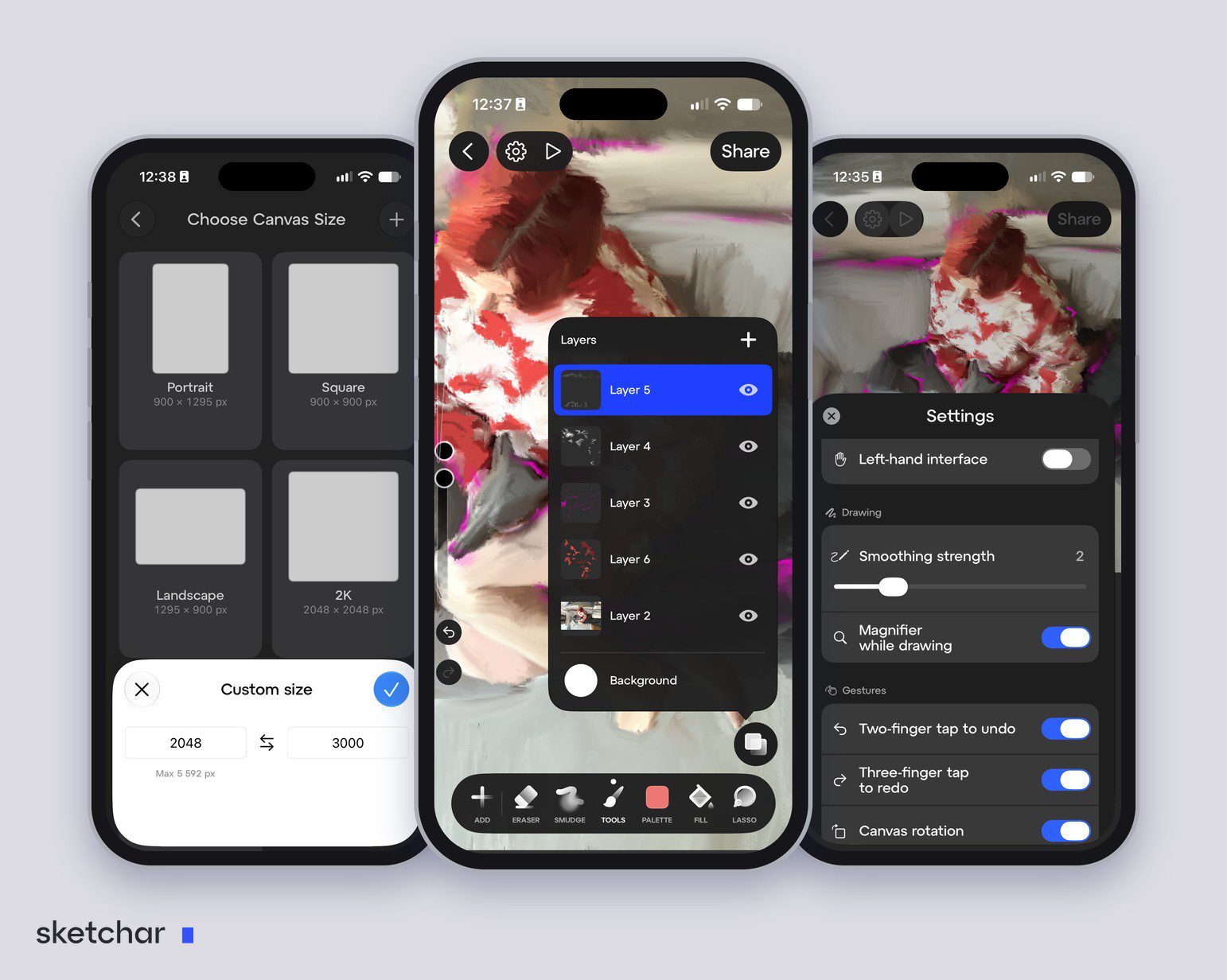
Up to 200 layers per project.
Canvases up to 4096 × 4096 px on devices with 3 GB of RAM.
Projects open instantly and save themselves in the background, with no freezes mid-stroke.
If the app closes unexpectedly, your work is restored when you come back.
Undo is limited by free storage, not by a fixed number of steps.
When you start a project, pick a preset, Portrait, Square, Landscape or 2K, or type your own width and height. The app shows the largest size your device can handle: 5,592 px on the iPhone in our screenshots.
A new colour palette, light theme, left-hand mode and a magnifier
The drawing screen has been redrawn.
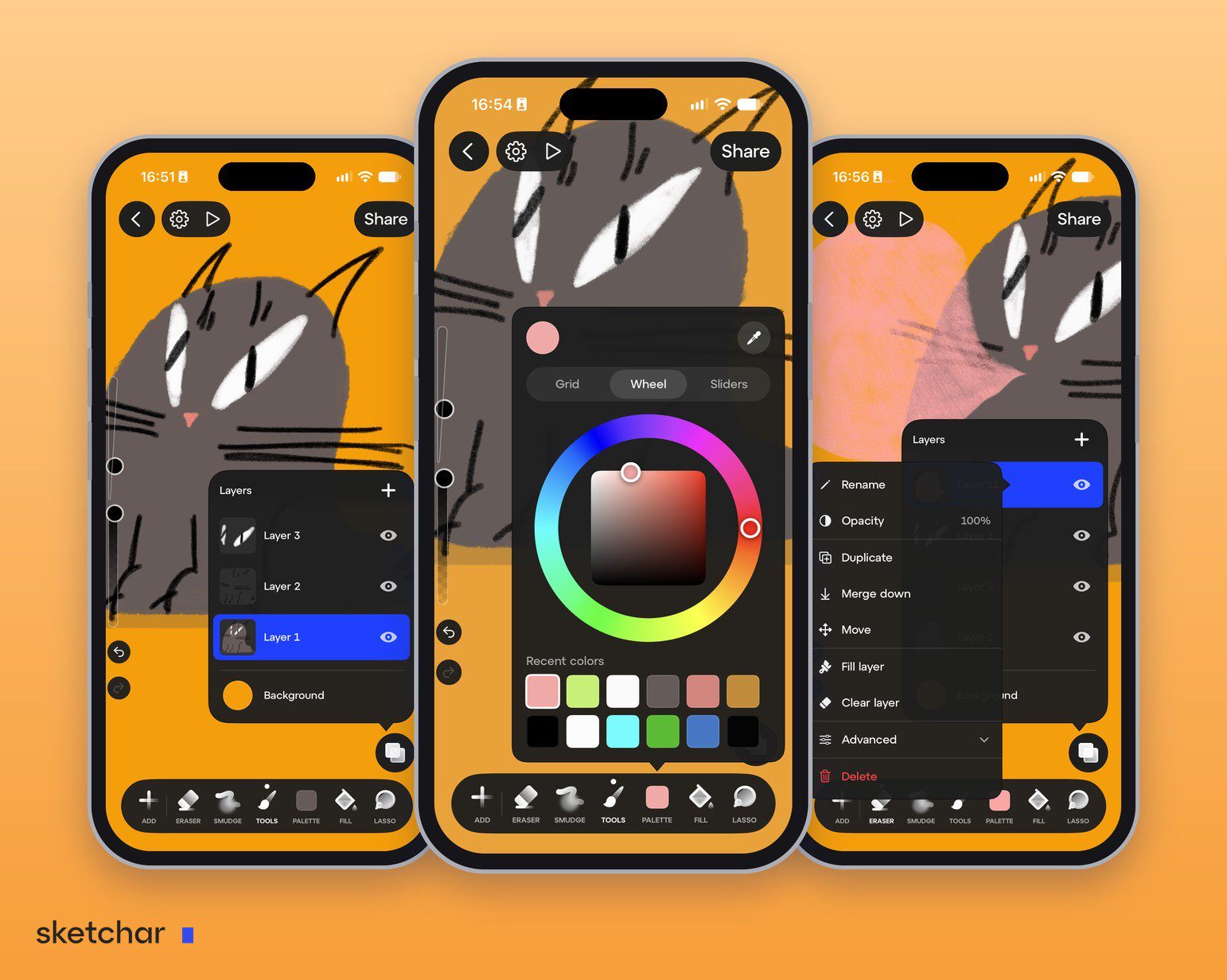
A new colour palette with three views, Grid, Wheel and Sliders, an eyedropper and a row of your recent colours.
A light theme.
A left-hand mode that mirrors the layout.
A magnifier under your finger for precise work.
Canvas size presets when you create a project.
Stroke smoothing and gestures you can switch on or off: two-finger tap to undo, three-finger tap to redo, canvas rotation and long-press eyedropper. Apple Pencil settings on iOS.
The drawing screen was tight on phones. It is not any more. Some of the new settings are part of PRO.
The brush editor: craft brushes in your own style
Brushes now sit in seven families: Pencil, Coal, Marker, Ink, Paint, Watercolour and Texture. Every brush has its own menu with Edit, Duplicate and Export.
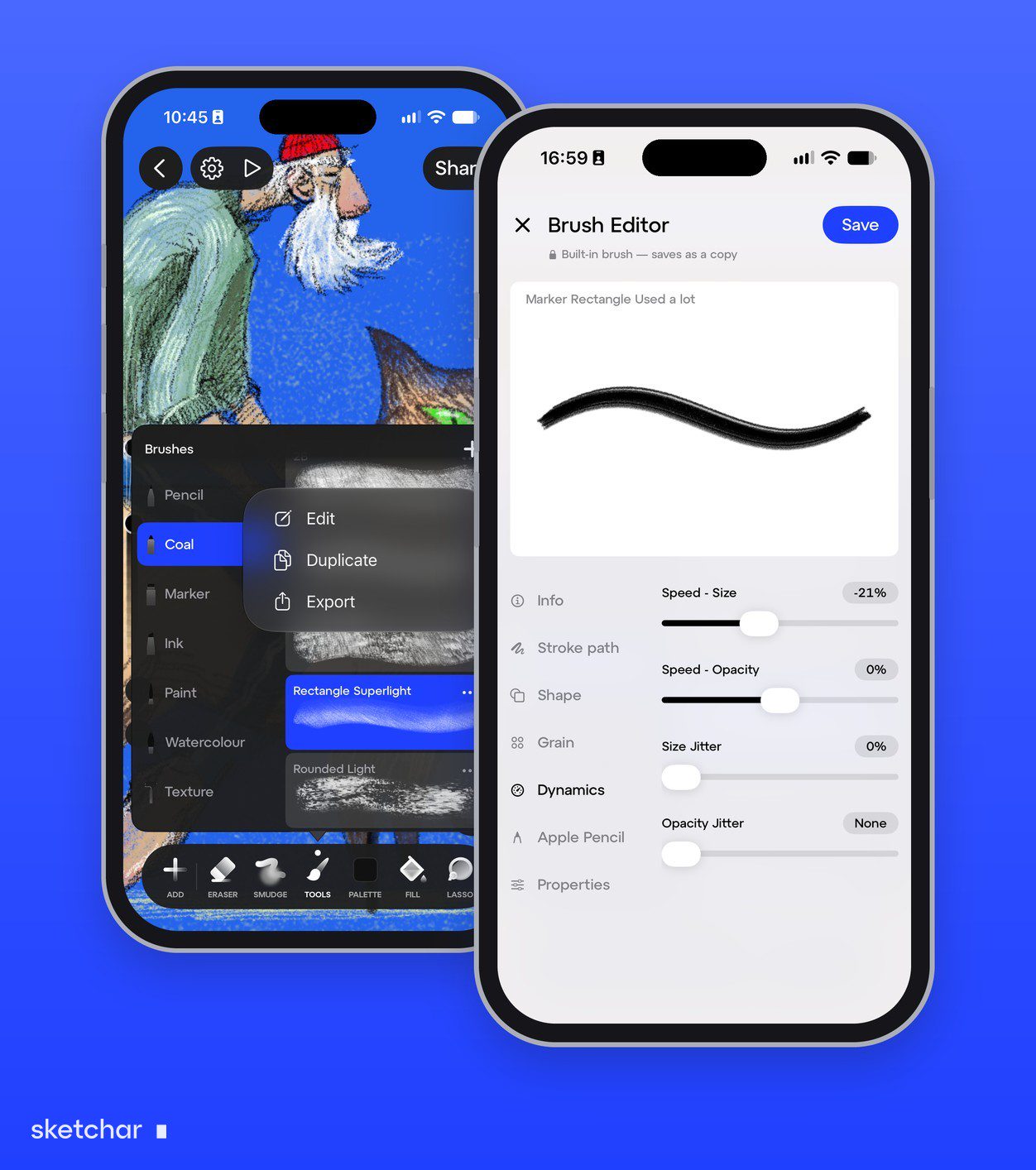
A brush editor with a live test canvas, so you see the stroke change as you move a slider.
Seven groups of settings: Info, Stroke path, Shape, Grain, Dynamics, Apple Pencil and Properties.
Built-in brushes save as a copy, so the original is always there to go back to.
Export your brushes and add brushes made by other artists, including Procreate
.brushfiles.Response to stylus tilt.
Every built-in brush has been retuned.
The editor is open to everyone. Saving your own brush needs PRO.
For pros: 26 blend modes, alpha lock and clipping masks
This closes the biggest gap between Sketchar and desktop-class painting apps.
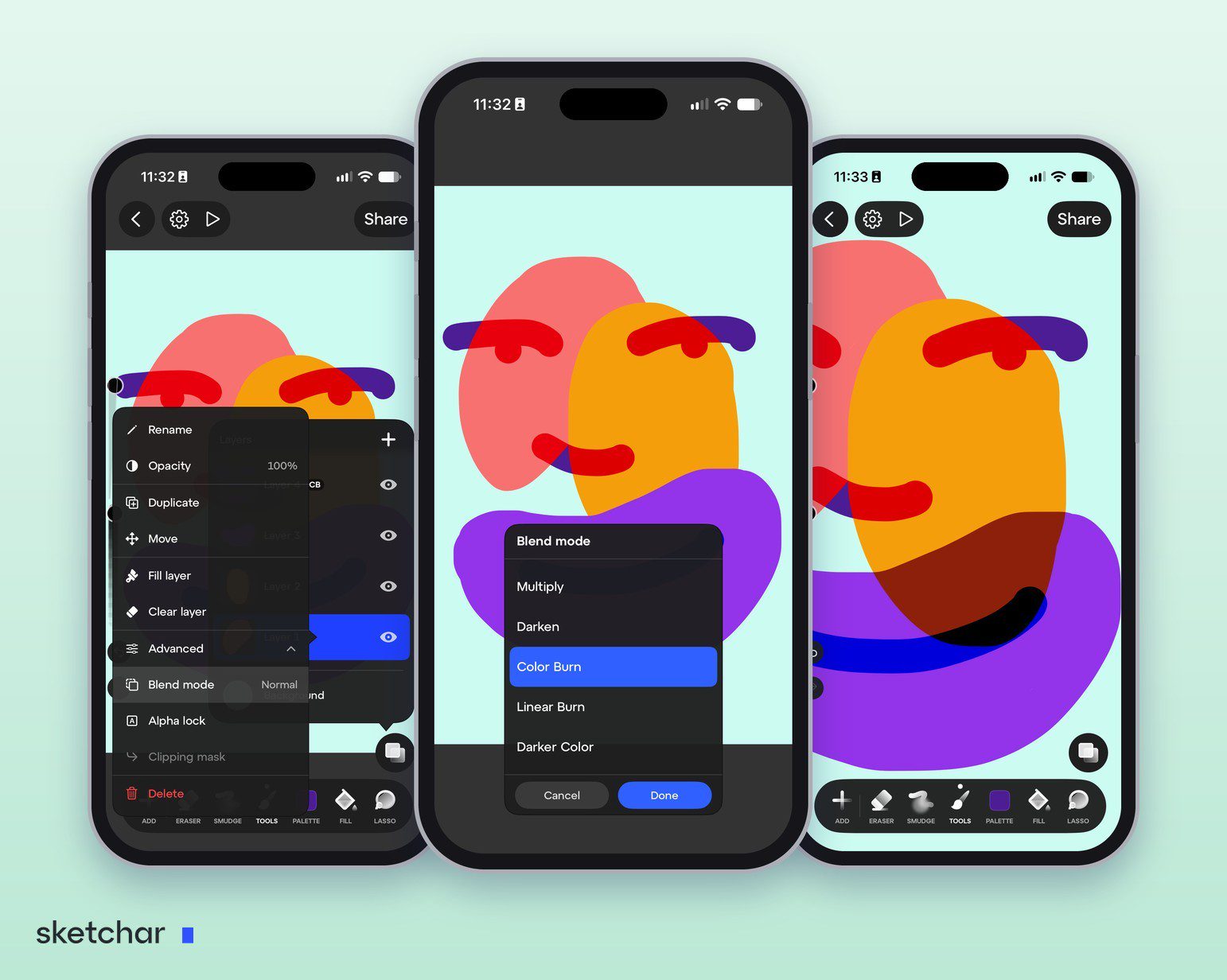
26 blend modes with a live preview as you scroll through them.
Alpha lock, so you paint only on what is already there.
Clipping masks.
Merging that respects blend modes instead of flattening them.
A layer menu with everything in one place: rename, opacity, duplicate, merge down, move, fill and clear.
A new layers panel with a separate background colour, built for all of the above.
Blend mode, Alpha lock and Clipping mask sit under Advanced in each layer's menu. A layer with a blend mode gets a short badge in the layers panel, such as CB for Color Burn.
A time-lapse of every drawing
Your whole drawing process now records automatically, on the canvas and in AR. Open the recording whenever you want, trim it, and share it on social media: 9:16 for stories, a small Sketchar badge with your nickname, and a clean ending on the finished piece. Nothing to set up, nothing to remember to press.
We rebuilt the engine so that the next hundred features would not have to apologise for memory. Sketchar 11 is the first release where the canvas says yes before you have finished asking.
Learn from your own photos
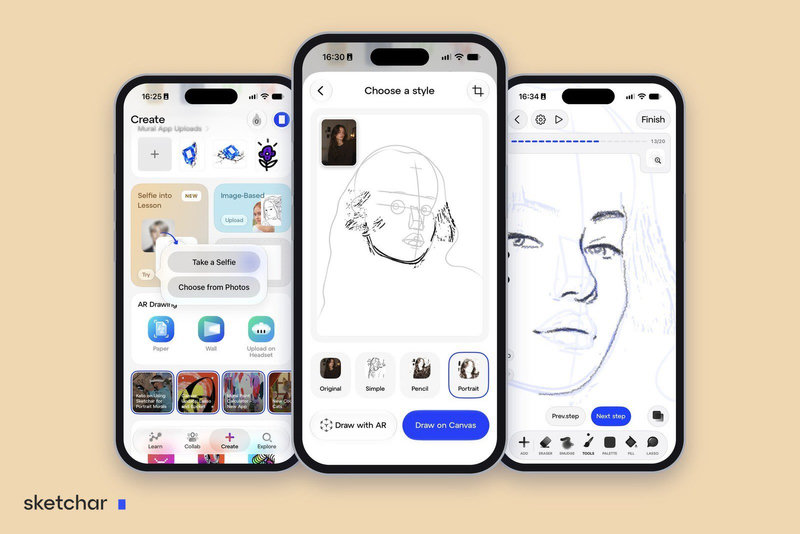
Selfie into Lesson
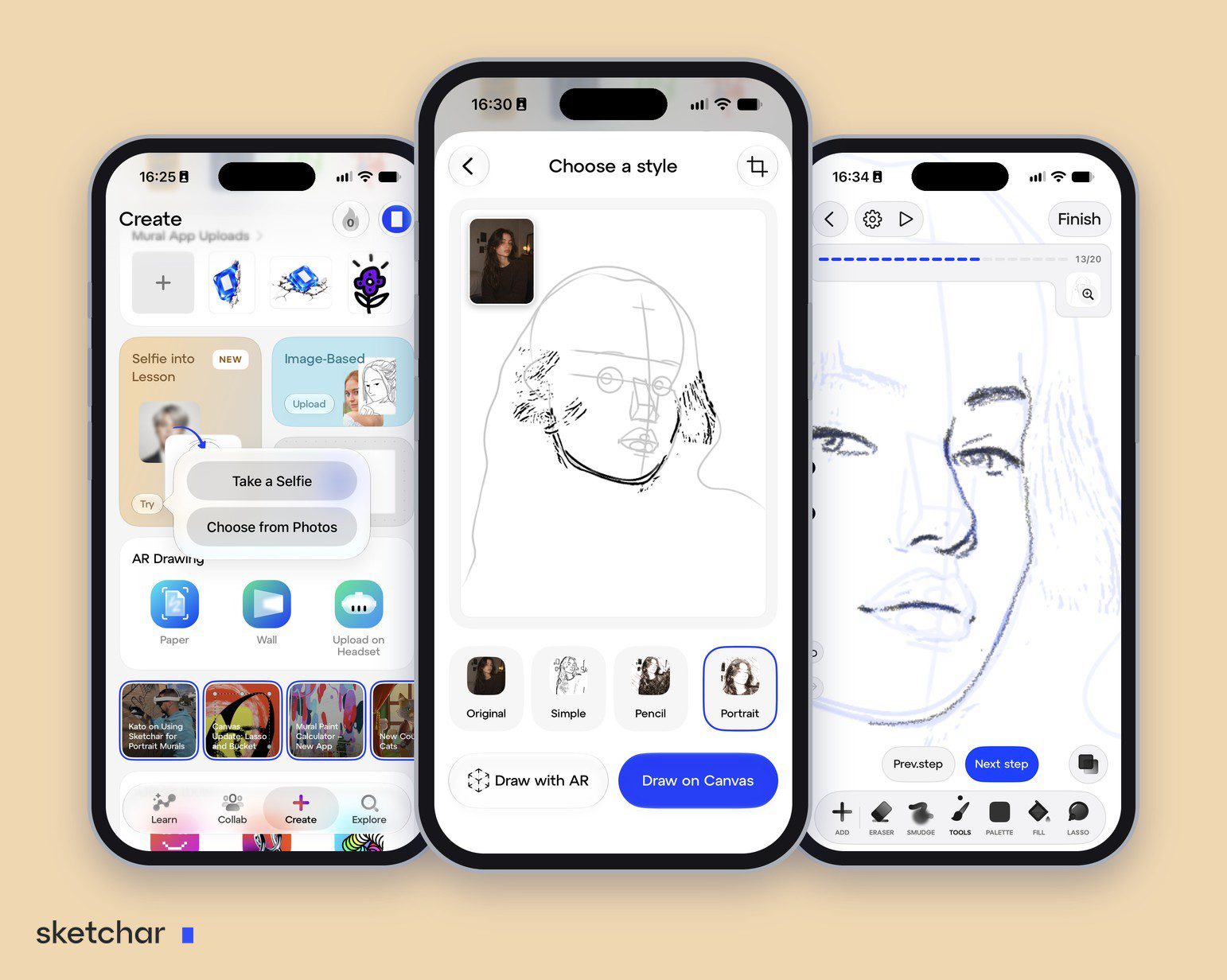
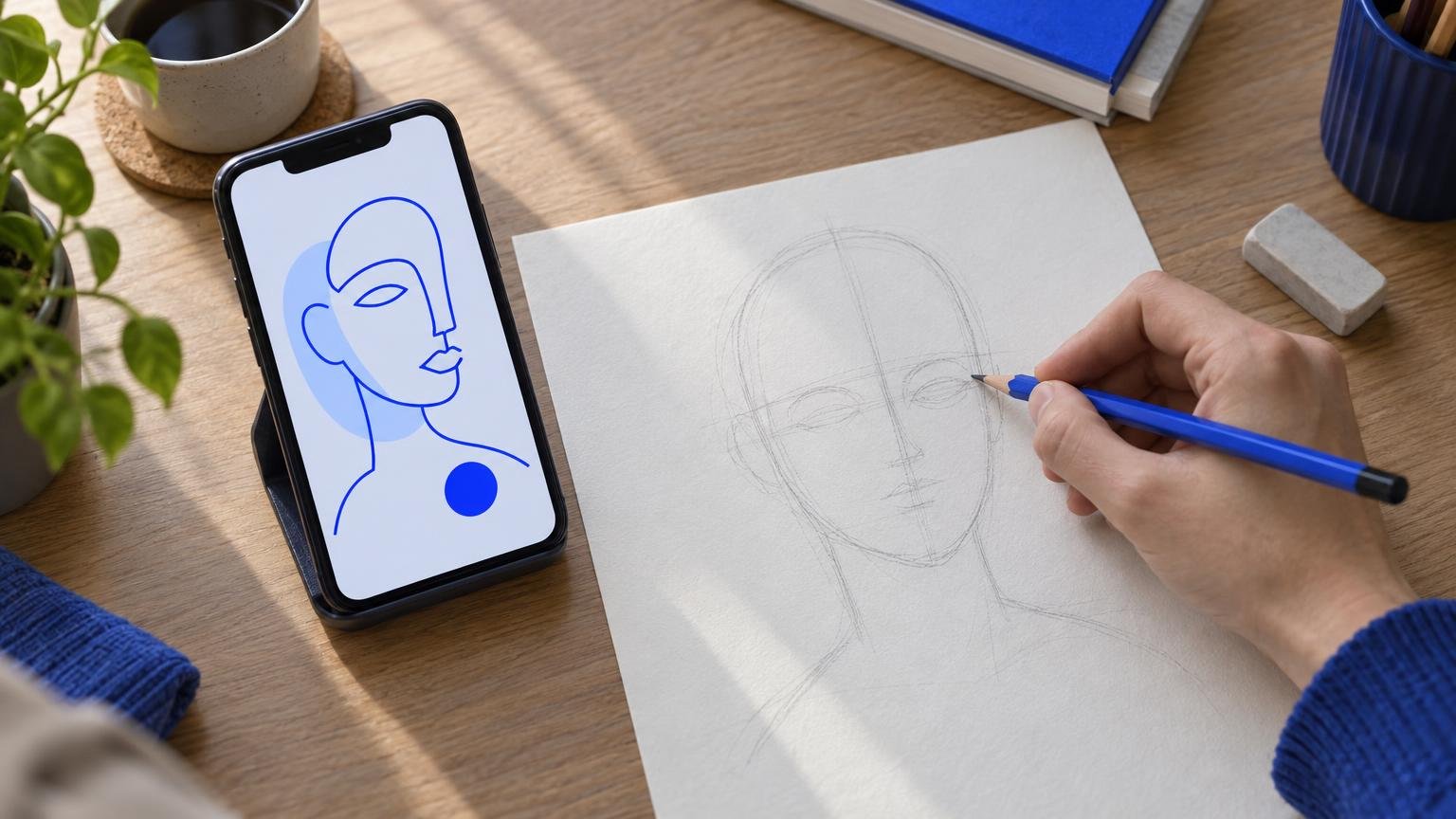
Take a selfie, or choose any photo of a person, and Sketchar turns it into a step-by-step portrait lesson. Pick one of four styles, Original, Simple, Pencil or Portrait, watch a preview of how the lesson builds, then draw it on the canvas or on paper with AR.
The Portrait style starts the way an art teacher would: the oval of the head, the centre line and the eye line, and only then the features and the shading.
We wrote a separate guide to this feature, with every step from the first tap to the finished portrait.
Create together
One Collab screen for the whole community
Everything you draw with other people now sits on one tab. The Collab screen brings together the three ways the Sketchar community creates together:
Art challenges by Sketchar. A new theme with a deadline and a short brief. Draw your take, publish it to the challenge and see where it lands on the leaderboard.
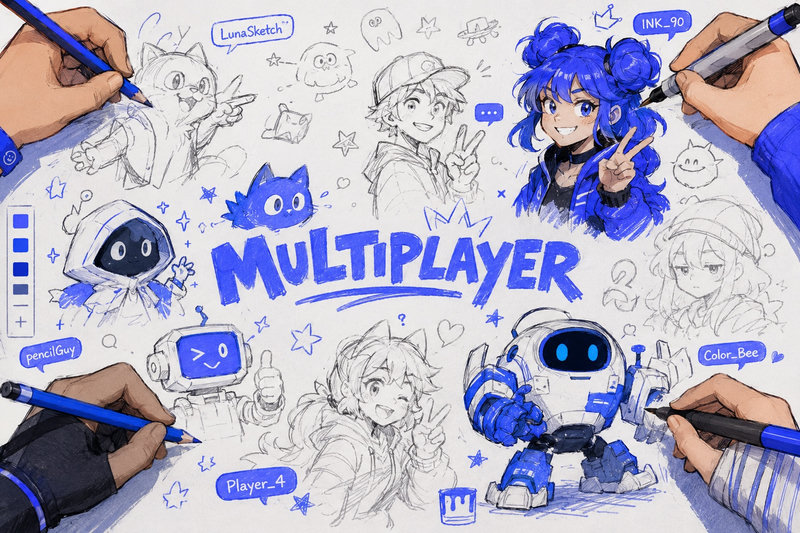
Multiplayer rooms. Live rooms where several artists draw on one shared canvas in real time, on iOS and Android. A room card shows how many people are inside right now.
Collabs from users. Drawings that one artist starts and others continue.
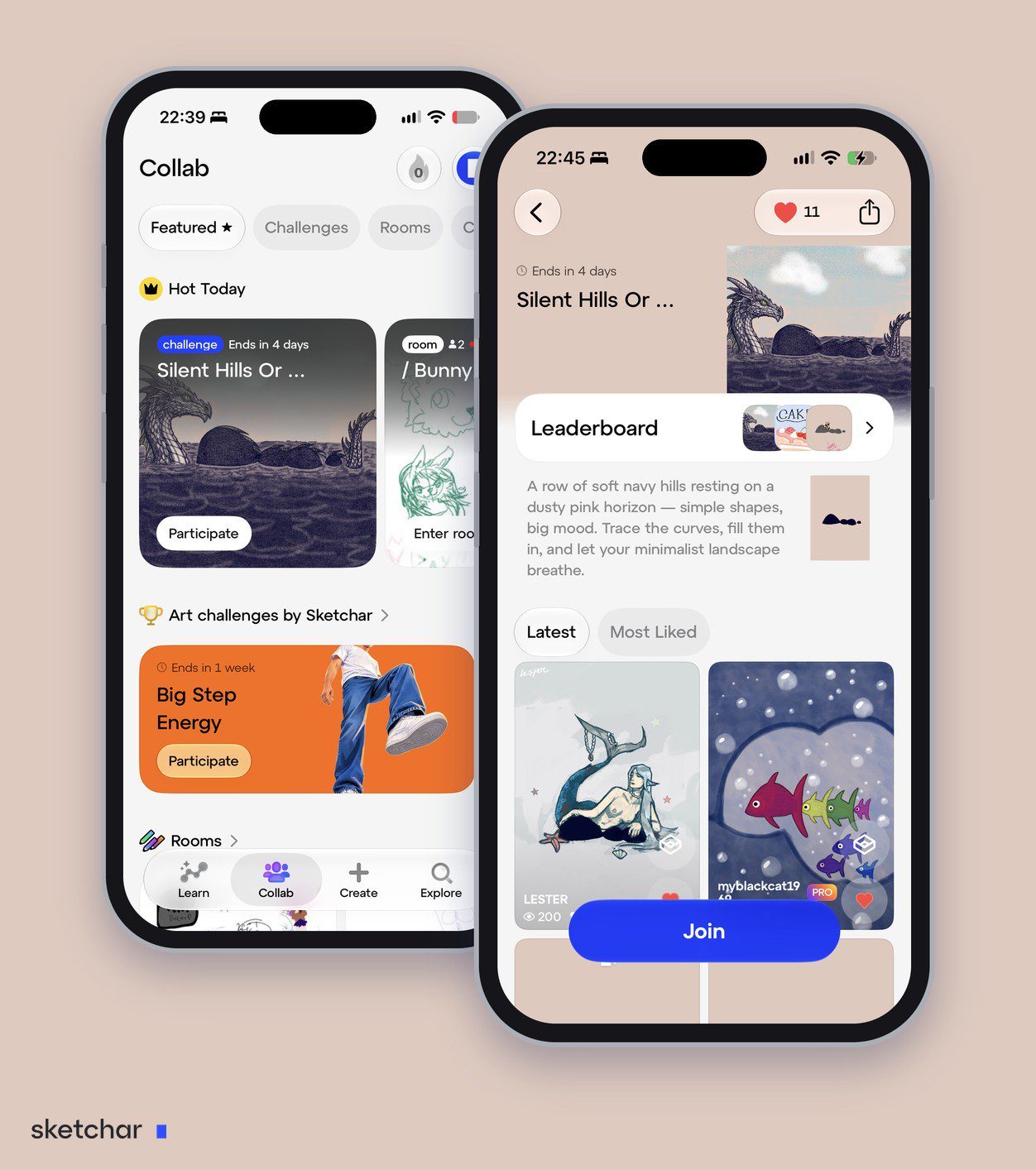
The Featured tab opens with Hot Today: the challenge and the rooms that are most active at the moment. Separate tabs for Challenges, Rooms and Collab show everything in each.
Every challenge has its own page: the brief and a reference picture, a leaderboard of the top entries, every submission sorted by Latest or Most Liked, and a Join button that takes you straight to the canvas. When you finish, the one-button Publish sends your drawing, with its time-lapse, to the challenge.
New to drawing together? Start with how multiplayer drawing in Sketchar works.
Share and keep your work
Publish with one button
One Publish button, one choice of where it goes: a challenge, a contest or a category. The project and its time-lapse upload together, in the background. Progress shows on your avatar, and if an upload fails you can retry it with one tap.
A cloud you can see
Each project in My Projects now shows where it is: in the cloud, on this device only, or uploading right now. Download a project without opening it, see failed uploads in one list with a retry button, and cancel an upload you no longer need.
Across the app
A new Create screen, Mural App and headset sync
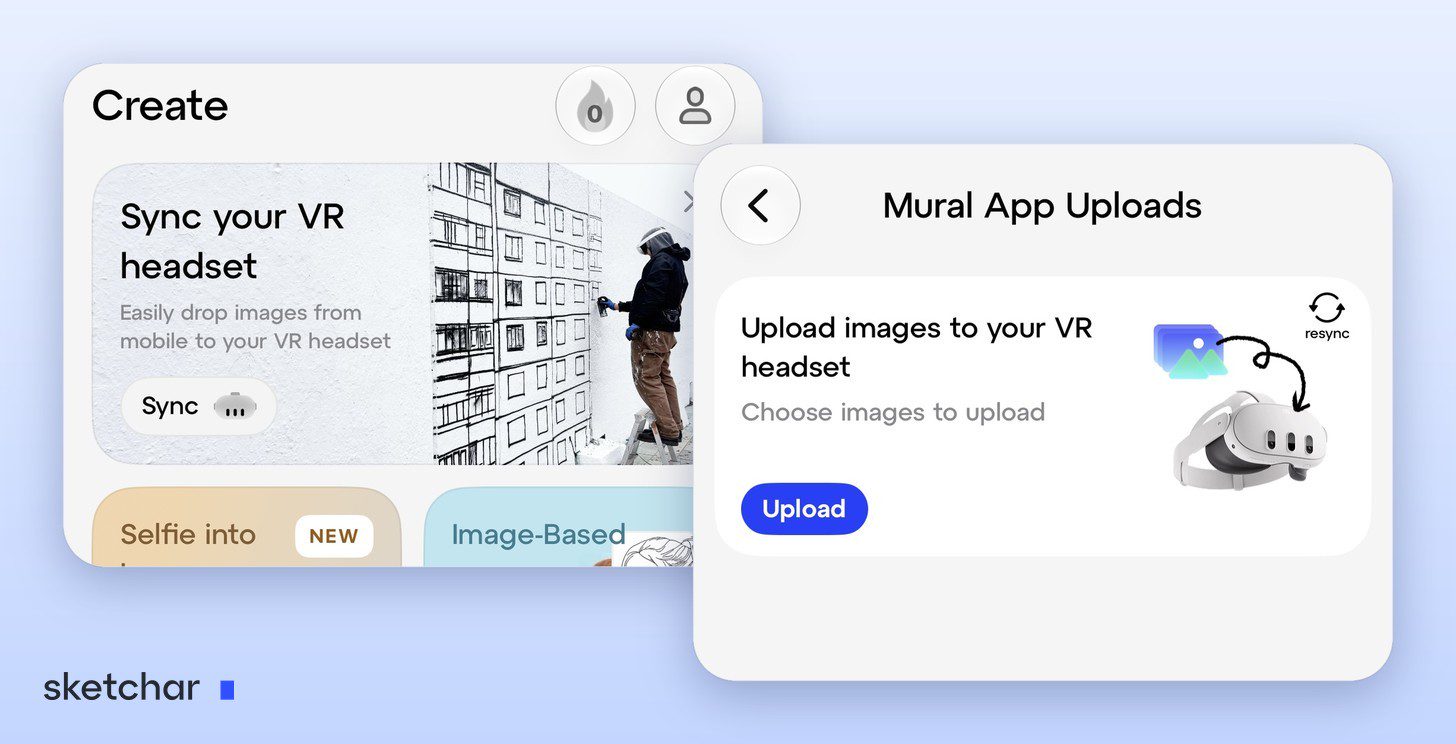
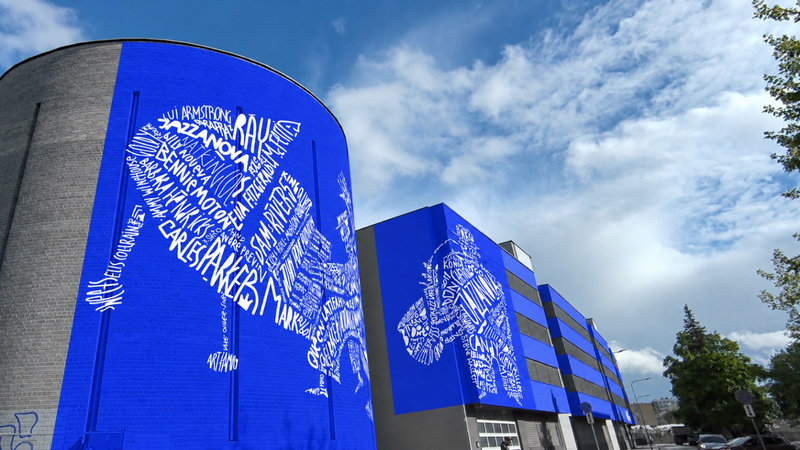
The Create screen has been redesigned, with its own layout for tablets. At the top it now has a Sync your VR headset card: if you paint walls with the Sketchar Mural App on a headset, tap Sync to link it to your phone.
The Mural App Uploads screen is where your sketches travel to the wall. Choose images on your phone, tap Upload, and they arrive in the headset. Images go one at a time and keep going even if you close the app, and resync reconnects the headset if the link drops. If you paint walls, the Mural App page explains how the two fit together.
iPhone Duo support
The whole app adapts to the foldable iPhone: a sidebar, layouts that avoid the fold, and separate arrangements for the drawing tool, AR, pop-ups, onboarding and paywalls. The same work makes Sketchar behave better in split-screen on iPad. This is the one part of Sketchar 11 that is iOS only.
New navigation
Cards now zoom open into projects, lessons, articles, stories, collabs and contests. Content scrolls under the panels, swipe-back works from anywhere on the screen, and spacing is consistent across the app. It feels like a system app, which was the goal.
Dozens of fixes
Sync keeps your work safer, AR drawing is more stable, and Apple Pencil now works with every brush.
How to get it
Update Sketchar from the App Store or Google Play. Your projects, layers and brushes come with you. If you have not tried the canvas yet, start with the free drawing canvas and see what 200 layers feel like.
Over the next weeks we will publish a separate deep dive on each of these features, from the brush editor to the time-lapse. Until then, download Sketchar 11 from the App Store or Google Play.
FAQ
Is Sketchar 11 free? Yes, the update is free. The engine, layers, blend modes, time-lapse, brush editor and Sketchify updates are available to everyone. PRO unlocks saving custom brushes and part of the new drawing settings; see Sketchar PRO.
Will my old projects open in Sketchar 11? Yes. Existing projects open in the new engine without conversion on your side.
Can I import brushes from other apps? Yes. Add brushes made by other artists through the new brush editor, including Procreate .brush files. Saving them as your own brushes needs PRO.
Does the time-lapse record AR drawings too? Yes. Both canvas and AR sessions are recorded automatically, and you can trim the clip before sharing.
What is Selfie into Lesson? A new tool that turns a selfie or any photo of a person into a step-by-step portrait drawing lesson.
Where are challenges and multiplayer rooms now? On the Collab tab. It shows art challenges by Sketchar, live multiplayer rooms and collabs from users on one screen.
Is Sketchar 11 on Android too? Yes. Android gets the same release: the new engine, layers, time-lapse, brush editor, publishing and navigation. The Apple-specific parts, such as the iPhone Duo layouts and Apple Pencil settings, apply to iOS only.
Draw without limits. Update to Sketchar 11 and open a new canvas. Get Sketchar
▋