

AR Drawing (Augmented Reality Drawing) – what it is, how it works and why Sketchar started it in 2016
AR drawing (augmented reality drawing) is tracing through a screen: your phone or headset lays a sketch over real paper or a wall, and you follow its lines. With Sketchar the image stays in place while the phone moves in your hand.


Trusted by 15M+ creators since 2016 – the year Sketchar started it
As featured in









How augmented reality drawing works
Three steps and about fifteen minutes for the first sheet. The camera looks at the paper, Sketchar’s own tracking keeps the sketch pinned to it while your hand moves, and you draw.
- 1
Point the phone at the paper
Hold the phone in one hand over the sheet – no stand, no tripod. Sketchar’s tracking anchors the sketch to the paper and follows your hand, so you can move, lean in and check the lines. Prop it up only if you want both hands free.
- 2
Pick an image and set the opacity
Choose a template, a lesson or your own photo. Lower the opacity until you can see both the lines of the sketch and the tip of your pencil underneath.
- 3
Trace
Look through the screen and follow the lines with your other hand. Lift the pencil, glance at the sheet, keep going – the sketch stays on the paper even as the phone moves.
What you need
- A phone or tablet with a camera
- Optional: a stand or a tripod, if you want both hands free
- Paper – textured fits better
- A pencil or a marker
- Good light – near a window is the best option
A short history of AR drawing
Augmented reality drawing did not start with a headset, or even with an app. It started with an artist’s idea in 2012 – and a phone camera pointed at a sheet of paper.
July 2012
The idea of AR drawing
Andrey Drobitko (Adno), an artist, sketches the concept of augmented reality drawing: a phone camera that shows a picture on the paper in front of you, so anyone can trace it. Four years of prototypes follow.
2016
Sketchar launches
A phone camera shows a sketch on a sheet of paper and you trace it. The words “AR drawing” enter the app stores with it.
2017
The Verge, Wired, Gizmodo – and Project Tango
The press writes about the app that teaches drawing through the camera. Google’s Project Tango edition anchors the sketch to the room, not just to the sheet.
2018
Microsoft HoloLens
Sketchar on HoloLens: the first hands-free augmented reality drawing, a headset before headsets were a market.
2019
The New York Times, and lessons on top of tracing
AR drawing reaches the mainstream press. Sketchar adds step-by-step lessons, so tracing becomes learning.
2020–2023
Walls, canvas, courses
Wall View mode moves the sketch from the desk to walls, columns and corners; the digital canvas and the courses arrive; the community passes 10 million.
2024
Meta Quest 3
Sketchar on a VR headset: a mural the size of a building, projected in daylight, no cables.
2025
Pico 4 Ultra and multiplayer
Two headsets, one wall, one shared sketch – augmented reality drawing as a team.
Best AR drawing apps compared
Only what the store listings and the vendors’ own pages state, checked cell by cell. Where a listing says nothing, the table says so too.
| Platforms | Web app (canvas) | AR tracking | VR headsets | Lessons / templates | Multiplayer | Offline mode | Cross-device sync | Price | Launch year | |
|---|---|---|---|---|---|---|---|---|---|---|
| Sketchar | iOS, Android, Meta Quest, Pico 4 Ultra | 1,000+ templates and step-by-step lessons | Free; PRO $5/month or $49/year | 2016 | ||||||
| AR Drawing: Sketch & Paint | iOS, Android | not stated by the vendor | 200+ lessons, 700+ templates | not stated by the vendor | not stated by the vendor | not stated by the vendor | Free with subscription; in-app items $1.99–$64.99 | not stated by the vendor | ||
| Artrace | iOS, Android | not stated by the vendor | not stated by the vendor | not stated by the vendor | not stated by the vendor | not stated by the vendor | Free with ads; in-app items $2.99–$39.99 | not stated by the vendor | ||
| AR Draw Sketch | Android | not stated by the vendor | not stated by the vendor | not stated by the vendor | not stated by the vendor | not stated by the vendor | Free with ads; in-app items $7.99–$39.99 | not stated by the vendor | ||
| Da Vinci Eye | iOS, Android, visionOS | not stated by the vendor | not stated by the vendor | not stated by the vendor | not stated by the vendor | Free; paid tiers from $4.99/month to $49.99/year | not stated by the vendor | |||
| ardrawing.site | Web (mobile browser) | browser | screen overlay, no tracking | not stated by the vendor | “hundreds” of templates | not stated by the vendor | not stated by the vendor | not stated by the vendor | Free | not stated by the vendor |
Facts as published by each app’s store listing or website on 2026-09-25. Rechecked quarterly. Sources:
- Sketchar: sketchar.io
- AR Drawing: Sketch & Paint: ar-drawing.com, play.google.com, apps.apple.com
- Artrace: play.google.com, apps.apple.com
- AR Draw Sketch: play.google.com
- Da Vinci Eye: apps.apple.com, www.davincieyeapp.com
- ardrawing.site: ardrawing.site
AR drawing use cases
Paper is where most people start. The same trace works on walls, canvas, clothes and in a classroom.
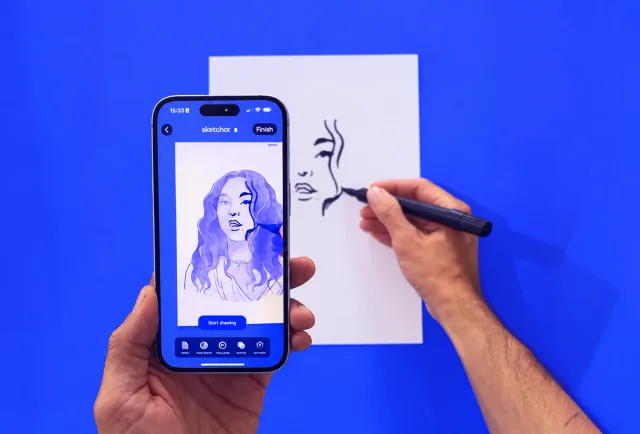
PaperA template, a lesson or your own photo on the sheet in front of you. 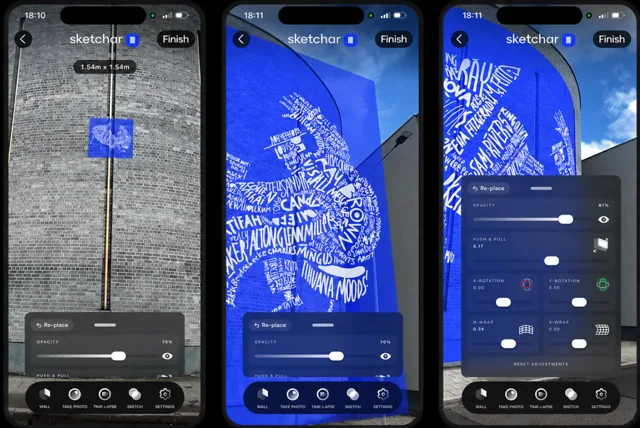
Walls and muralsWall View pins the sketch to walls, columns and corners; a headset takes the whole facade. 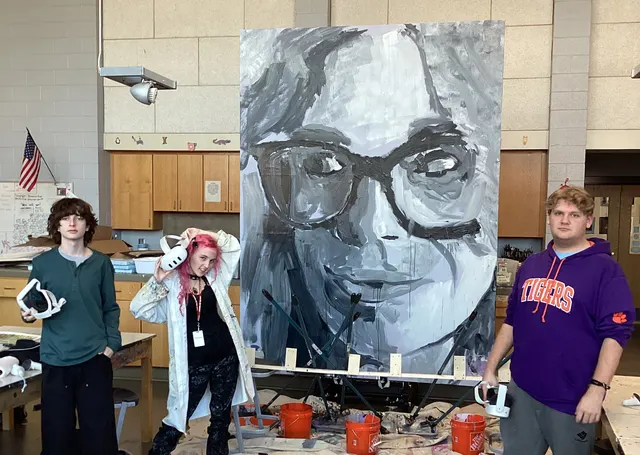
CanvasTransfer the outline, then paint by hand – the AR layer keeps the proportions honest. 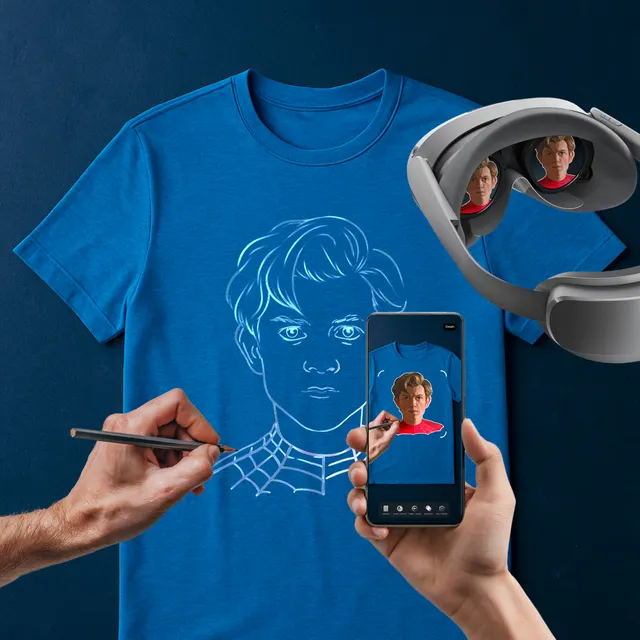
Clothes and sneakersT-shirts, sneakers and other small, curved surfaces. 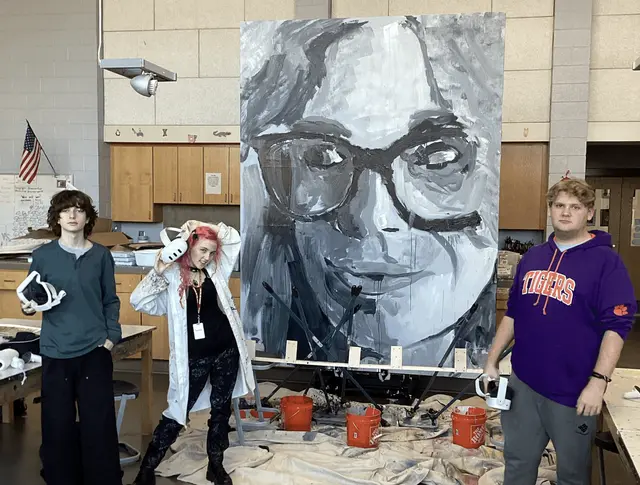
ClassroomOne image, thirty sheets, no grid lines to erase. Teachers get Sketchar free.


Frequently asked questions
Try Sketchar Today
Free to download, with 1,000+ templates and lessons to trace on the sheet in front of you.