Best Paper for AR Drawing: How Texture, Size and Light Affect Tracking
Not all paper works equally well with augmented reality. Here's why textured, A4-sized sheets in good light give the most stable AR projection in Sketchar — and what to avoid.

Best Paper for AR Drawing: What Your Camera Actually Sees
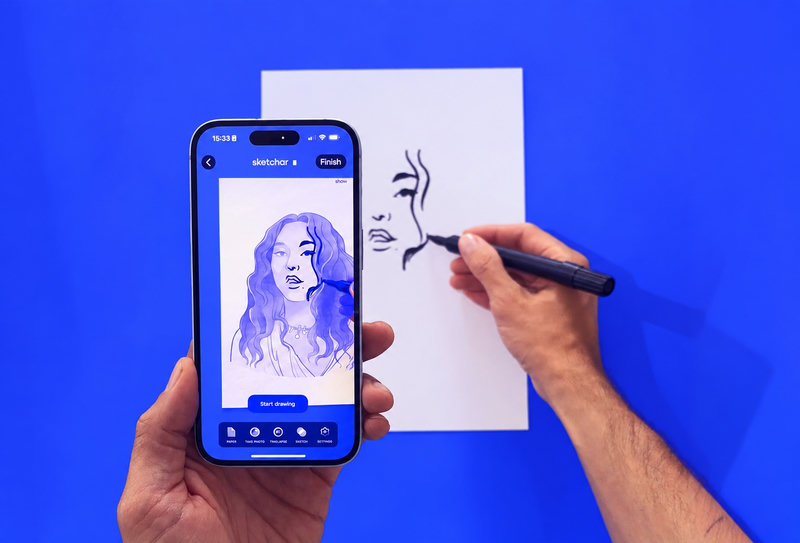
When you draw with augmented reality, your phone isn't just showing a picture on top of a sheet of paper — it's constantly tracking that sheet in 3D space. Every time you move your hand, tilt the phone or shift your chair, the camera has to recognize the surface again and keep the projected image locked in place.
That's why the paper you choose matters more than most people expect. Here's how to set up a surface that keeps your AR drawing stable from the first line to the last.
Textured Paper Wins
Watercolor paper, sketch paper with visible grain, cold-pressed or toothy drawing paper — this is the best paper for AR drawing.
Texture gives the camera something to hold on to. Every bump, fiber and irregularity becomes a tracking point, so the software can tell exactly where the sheet is and how it's oriented. More detail on the surface means a more confident lock.

Smooth paper is usable, but it works less well. Glossy or very flat sheets — printer paper with a slick finish, coated marker paper, laminated surfaces — have almost no visual features. The image may drift, jitter or reposition itself when you move the phone, because the camera struggles to find anything unique to anchor to.
If smooth paper is all you have, compensate with the lighting and contrast tips below.
Keep It A4 or Smaller
The optimal paper size for AR drawing is A4 or smaller.
The bigger the sheet, the more space the camera has to memorize — and the harder it becomes to hold the whole scene in mind. On large formats, moving the phone even slightly can knock the projection out of alignment, and you'll spend more time re-aligning than drawing.
A4, A5 and sketchbook-sized pages fit comfortably in frame, which means faster recognition and far fewer slips. For big formats and murals, a different approach works better — grid-based scaling or VR mural painting on Meta Quest, where tracking works at room scale.
Light Is Half the Battle
AR tracking is computer vision, and computer vision needs light.
Set your table near a window. Soft daylight is ideal for AR drawing.
Avoid harsh direct light that creates blown-out white spots or heavy shadows across the page.
Don't work in the dark. Low light adds camera noise, and noise destroys tracking points.
If you draw in the evening, add a lamp positioned to the side rather than directly overhead, so your hand and phone don't cast a shadow over the sheet.

Clear the Visual Clutter
The camera also needs to see where your paper ends and the table begins.
Ideal setup: one clean sheet with sharp, clearly visible edges on a contrasting tabletop — light paper on a dark wooden desk, for example.
Problem setup: a white smooth sheet on a white table. The boundary disappears, and so does reliable tracking. The same goes for a desk covered in pencils, cups, cables and loose papers — extra objects compete for the camera's attention and can pull the projection off target.
Move everything else out of frame and keep just the page you're working on.


Quick Checklist
Textured paper (watercolor or grainy sketch paper)
A4 or smaller
Bright, even light — ideally facing a window
Contrasting table surface
Nothing else on the desk
Get these five things right and the AR image will stay exactly where you put it — so you can focus on drawing, not re-aligning.
▋